Selected work / Case study 01
Ledgerly
An interactive spending prototype that turns fictional transactions and account balances into a clearer picture of everyday money.
01 / Everyday money, made clearer.
Everyday money, made clearer.
Ledgerly is a responsive web app for understanding where money goes and comparing spending with checking and savings balances. I built it to make financial information easier to explore through clear visuals, organized transactions, and straightforward navigation.
The problem: a long list of transactions can hide the bigger picture. Ledgerly connects an at-a-glance spending breakdown to the records behind it, while keeping account balances in their own clearly labeled view.
02 / My role
My role
I led product design, frontend development, and interaction design—from organizing the spending and account views to building the chart interactions, transaction controls, and responsive layouts.
Product & interaction design
- Give spending, transactions, and balances distinct jobs in the interface.
- Make category selection and filtering feel direct and reversible.
Frontend development
- Build the experience with React, TypeScript, Vite, and CSS.
- Use Decimal.js for precise financial calculations and Cloudflare Pages for hosting.
03 / From total to category.
From total to category.
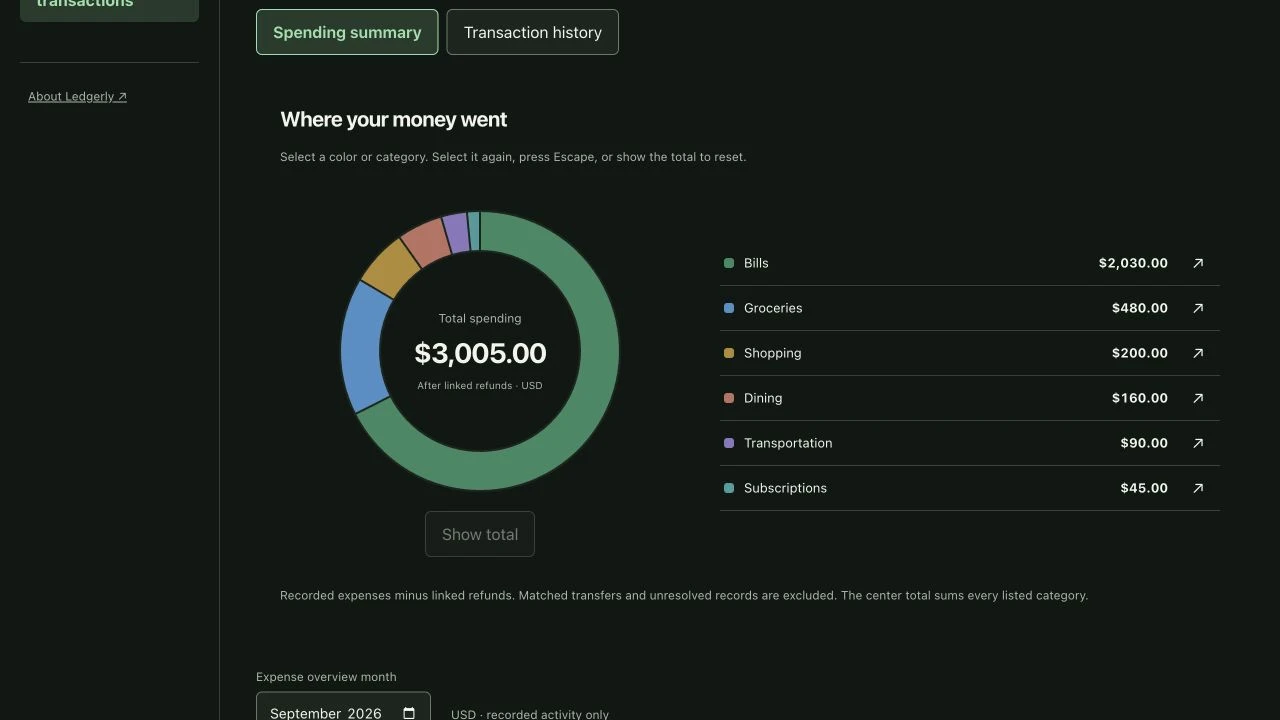
The spending donut shows total expenses in its center. Selecting a segment reveals that category’s spending; selecting it again, pressing Escape, or choosing the total returns to the overview. Category controls provide another way to explore the same information.
04 / A clearer transaction history.
A clearer transaction history.
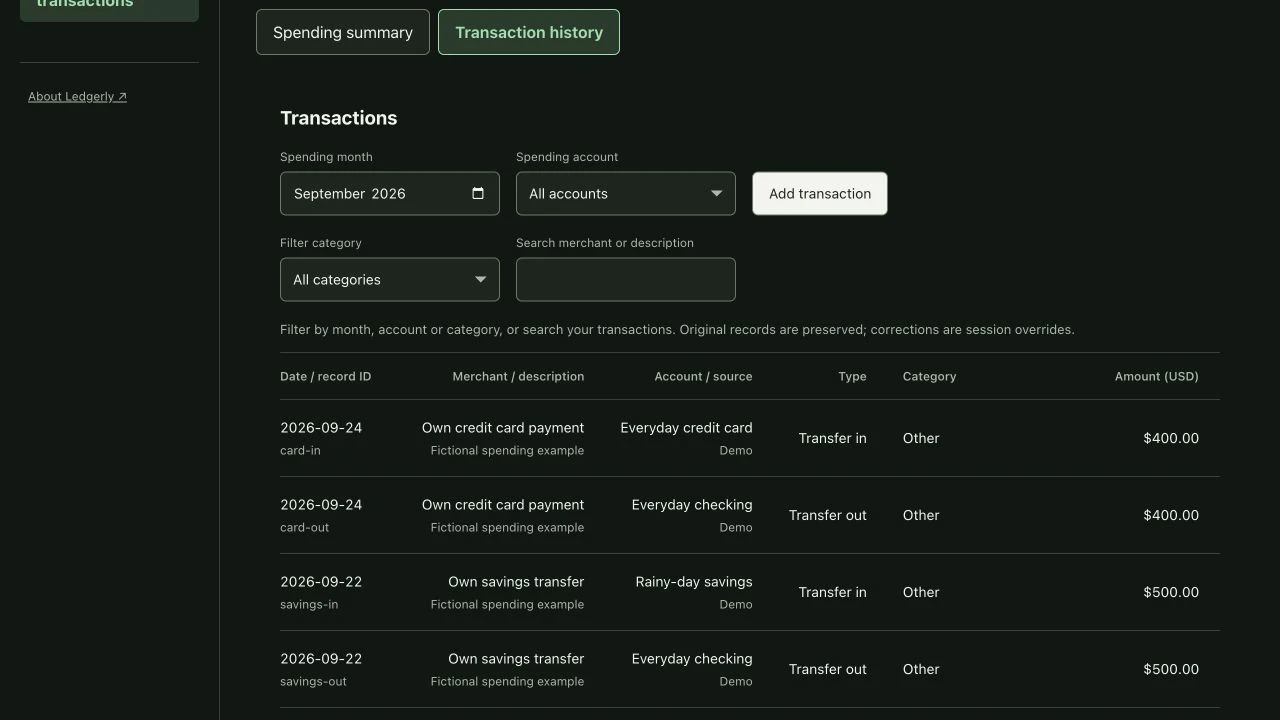
Month, account, and category filters narrow the ledger. Merchant search makes specific records easier to find, while pagination keeps longer histories manageable. The interface keeps the transaction detail close to the summary it explains.
05 / Balances in context.
Balances in context.
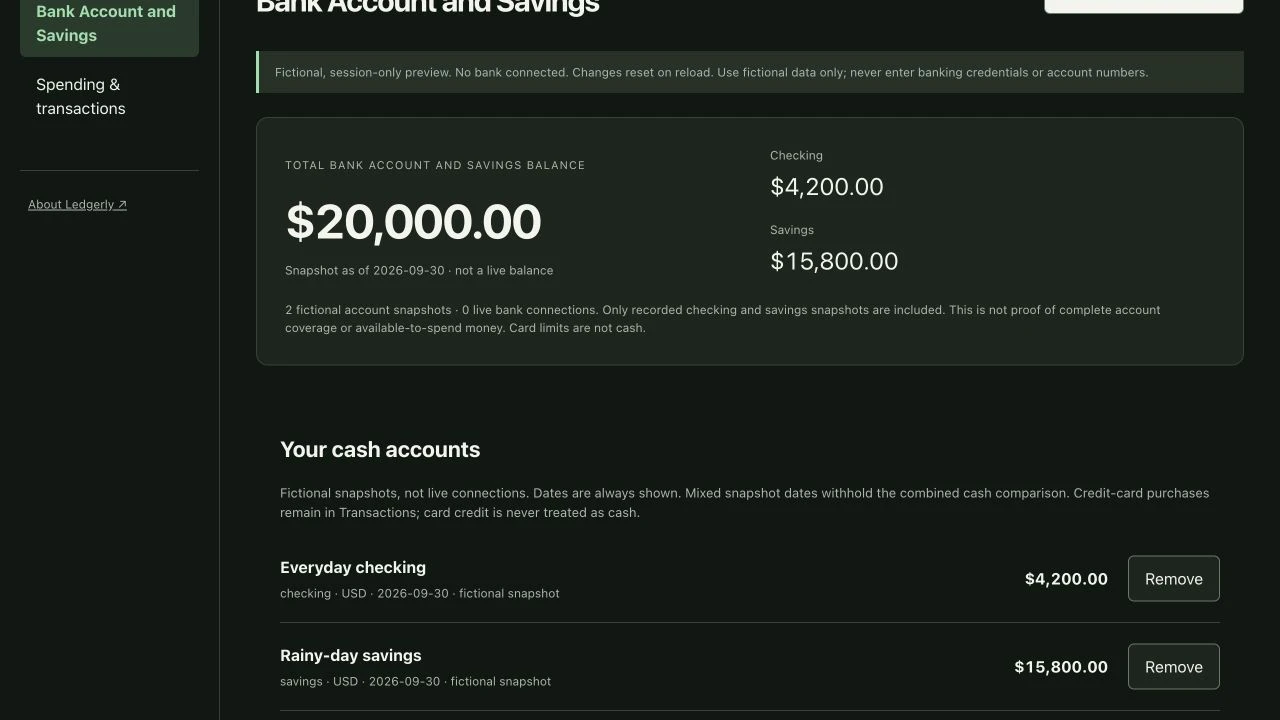
The dedicated “Bank Account and Savings” view presents a combined checking and savings balance alongside individual account snapshots. Dates and fictional-data labels keep these snapshots distinct from live balances or available-to-spend advice.
06 / Careful data. Clear interactions.
Careful data. Clear interactions.
Count spending thoughtfully
- Linked refunds reduce recorded expenses.
- Matched transfers—including payments between a person’s own accounts—are not counted as additional expenses.
- Decimal.js supports precise financial arithmetic rather than relying on floating-point currency calculations.
Keep comparisons honest
- Spending and cash balances are separate perspectives, not a reason to subtract the same expenses from a balance again.
- Account snapshots remain visibly dated and labeled as fictional.
Make the interface adaptable
- Light and dark themes support different viewing preferences.
- Responsive layouts work across mobile and desktop.
- Keyboard-accessible controls make exploration possible without a pointer.
07 / A working frontend prototype.
A working frontend prototype.
The chart, filters, search, pagination, account views, and theme controls are working interactions—not static mockups. All financial data is fictional. Demo edits remain in the browser session and reset on reload.
Bank connections and live transaction syncing are future functionality. This demo does not connect to real bank accounts or represent a production financial service.